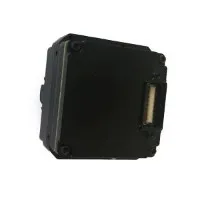

As a trusted supplier of LWIR (Long-Wave Infrared) Camera Cores, I understand the importance of providing clear guidance on how to install these advanced components. In this blog post, I'll walk you through the step-by-step process of installing LWIR Camera Cores, ensuring that you can make the most of these cutting-edge technologies.
Understanding LWIR Camera Cores
Before diving into the installation process, it's essential to have a basic understanding of LWIR Camera Cores. These cores are at the heart of thermal imaging systems, capturing the infrared radiation emitted by objects and converting it into visible images. LWIR cameras are widely used in various applications, including surveillance, industrial inspection, and scientific research, due to their ability to operate in low-light conditions and detect temperature differences.
LWIR Camera Cores come in different types, such as Uncooled Thermal Camera Modules, Uncooled Thermal Imaging Core, and Thermal Imaging Module. Each type has its own features and specifications, so it's crucial to choose the one that best suits your specific needs.
Pre-Installation Preparations
- Gather the Necessary Tools: Before starting the installation, make sure you have all the required tools on hand. These may include a screwdriver, soldering iron (if necessary), cable ties, and a clean, static-free workspace.
- Read the Manual: Carefully read the installation manual provided with your LWIR Camera Core. The manual contains detailed instructions and safety precautions specific to your product, so it's essential to follow them closely.
- Inspect the Components: Check the LWIR Camera Core and all its components for any visible damage or defects. If you notice any issues, contact our customer support team immediately for assistance.
- Choose the Installation Location: Select a suitable location for installing the LWIR Camera Core. The location should provide a clear line of sight to the target area, be free from obstructions, and have adequate ventilation to prevent overheating.
Installation Steps
- Mount the Camera Core: Use the appropriate mounting hardware to secure the LWIR Camera Core to the chosen location. Make sure the camera is level and firmly attached to prevent vibrations or movement during operation.
- Connect the Power Supply: Connect the power supply cable to the LWIR Camera Core according to the instructions in the manual. Ensure that the power supply is compatible with the camera's voltage and current requirements.
- Connect the Data Cable: Connect the data cable to the camera core and the corresponding interface on your system. This cable is used to transfer the captured thermal images to your display or processing unit.
- Configure the Camera Settings: Once the camera is connected, power it on and access the camera's settings menu. Configure the settings, such as resolution, frame rate, and temperature range, according to your specific requirements.
- Test the Camera: After configuring the settings, test the LWIR Camera Core to ensure that it is functioning properly. Point the camera at a target area and check the image quality on your display. If you encounter any issues, refer to the troubleshooting section in the manual or contact our technical support team for assistance.
Post-Installation Considerations
- Calibration: Depending on the application, you may need to calibrate the LWIR Camera Core to ensure accurate temperature measurements. Follow the calibration procedures outlined in the manual to achieve the best results.
- Maintenance: Regular maintenance is essential to keep your LWIR Camera Core in optimal condition. Clean the camera lens regularly to remove dust and debris, and check the connections for any signs of wear or damage.
- Software Updates: Keep the camera's firmware and software up to date to take advantage of the latest features and improvements. Check our website regularly for software updates and follow the instructions to install them.
Conclusion
Installing an LWIR Camera Core may seem like a complex task, but by following the steps outlined in this blog post and referring to the installation manual, you can ensure a successful installation. As a leading supplier of LWIR Camera Cores, we are committed to providing our customers with high-quality products and excellent technical support. If you have any questions or need further assistance with the installation process, please don't hesitate to contact us.
Whether you're looking to enhance your surveillance system, improve industrial inspection processes, or conduct scientific research, our LWIR Camera Cores offer reliable performance and accurate thermal imaging capabilities. Contact us today to discuss your specific requirements and explore how our products can meet your needs.


References
- Manufacturer's Installation Manual for LWIR Camera Cores
- Technical Documentation on Thermal Imaging Technology